Dashboard
The Roo Code Cloud dashboard provides a central location to manage your account, view task history, and access sharing and collaboration features.
Accessing the Dashboard
There are two ways to access your Roo Code Cloud dashboard:
Method 1: From the Roo Code Plugin
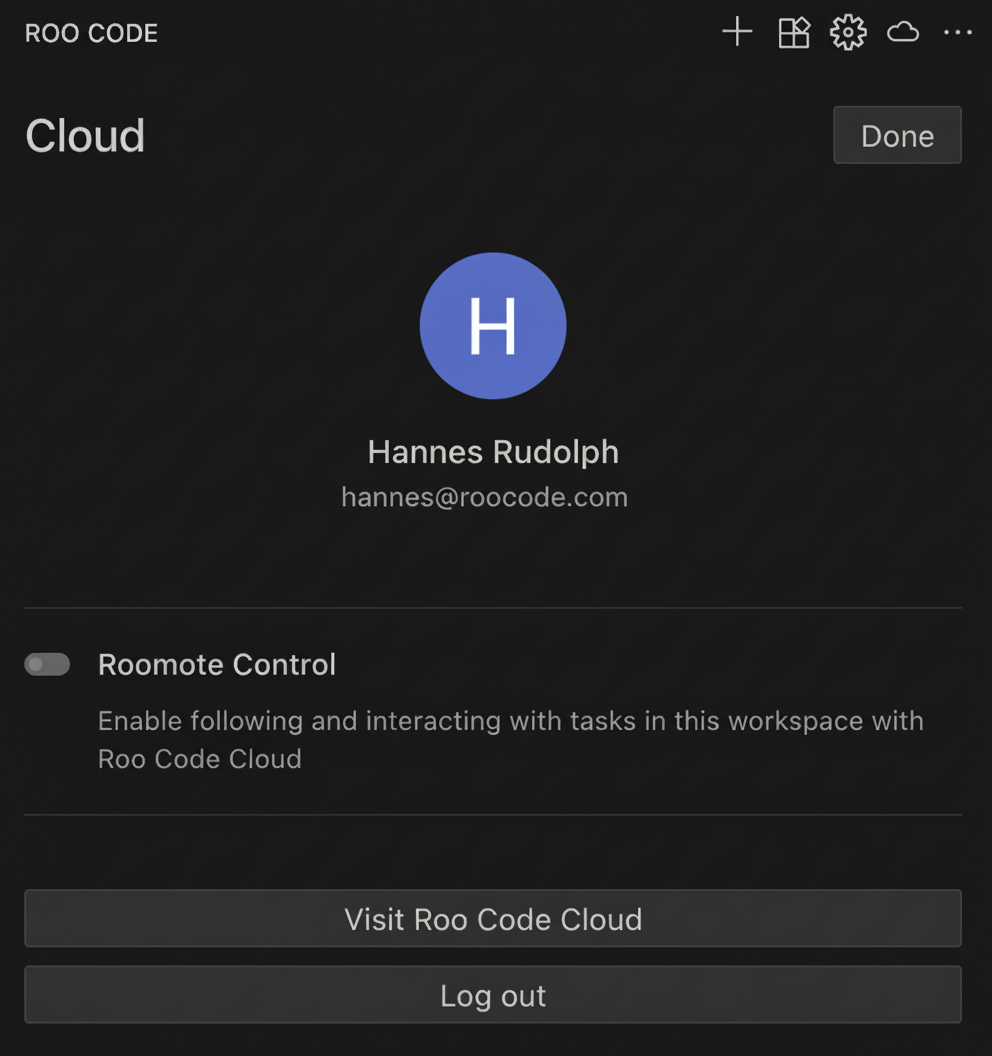
Once logged in, click the cloud icon in the top right corner of the Roo Code plugin, then click Visit Roo Code Cloud.
Method 2: Direct Web Access
Navigate directly to the Roo Code Cloud web application:
This allows you to access your dashboard from any web browser, even when not using the Roo Code extension.
Dashboard Features
The dashboard provides access to:
- Task History - View and manage your online task history
- Account Settings - Manage your profile and preferences
- Sharing & Collaboration - Access shared tasks and collaboration features
- Usage Metrics - Monitor your task, token, and cost-based usage
- Billing & Subscriptions - Manage your Pro subscription and payment methods
- Roomote Control - Control VS Code tasks remotely (Pro feature)
Your dashboard syncs with your Roo Code extension to provide a comprehensive view of your coding assistant activity and collaboration workflows.
Pro Features
Upgrade to Pro ($20/month) to unlock:
- Roomote Control - Monitor and control tasks in VS Code from your browser
- Enhanced Usage Limits - Increased capacity for tasks and tokens
- Priority Support - Get help faster when you need it
Access billing at app.roocode.com/billing or click Billing from your dashboard.